Your Grok library,
backed up in one click
Grok has no bulk download. Saving hundreds of generated images and videos one by one, finding what you made last month, and keeping the 1080p versions does not scale. GrokMediaDownloader scans your whole Grok library, downloads everything into folders named after the conversation with prompt-based filenames, and upgrades videos to 1080p. It runs entirely in your browser; nothing is uploaded anywhere.
See it in 28 seconds
Three download sources, smart folders, 15,000-item libraries without running out of memory, 1080p upscaling: the whole extension in one short clip.
Music: "Wallpaper" by Kevin MacLeod (incompetech.com), CC BY 4.0
Why not just save manually, or use a generic downloader?
Generic "image downloader" extensions grab whatever is on the screen. Grok keeps most of your library off-screen, behind its own media API, and since July 2026 even the Saved page no longer shows everything. GrokMediaDownloader talks to that API directly.
| What you need | Saving by hand | Generic downloader | GrokMediaDownloader |
|---|---|---|---|
| Finds media that Grok's page no longer lists (post-July-2026 backend) | — | — | ✓ Whole Library scan |
| Downloads thousands of items in one run without running out of memory | — | Only what is loaded on screen | ✓ 15,000+ tested |
| Folders per conversation or tag, filenames from date, prompt, ID and seed | You rename every file | Random file names | ✓ Templates |
| Skips what you already downloaded, resumes after a reload | — | — | ✓ Per-source history |
| Gets the 1080p version of videos, not the preview | Manual, one at a time | Preview quality | ✓ Batch HD / 1080p upgrade PRO |
| Queues video generation and merges clips into a story | — | — | ✓ Video Gen Queue, Story Mode |
| Keeps your media private | Yes | Depends on the extension | ✓ 100% in your browser, no server |
Based on how Grok's media API behaved as of October 2026. The free version covers the whole-library scan, downloads from the last 7 days, batch image download and folders; see Pricing for the PRO list.
Not seeing your newly generated media?
Since Grok’s July 2026 backend change, newly generated images and videos are no longer added to Favorites — so a scan of the Favorite source can look empty, and HD upgrade may report that everything is already upgraded. Switch the download source to 📦 All Generated Media (by Conversation), which is what Grok’s own Saved page reads. Since v2.5.1 it is the default and free for everyone.
How Whole Library Download worksVideo Gen Queue
Automated Video Generation Queue
New Side Panel interface for batch video generation. Supports Custom/Normal/Fun/Spicy modes, auto-retry on failure, and smart rate limit detection.
-
Auto Retry
-
Batch Add to Queue
-
4 Generation Modes
-
Rate Limit Detection
Story Mode Helper — Video Story Creation Studio
From downloading videos to merged output, complete your AI video story in 5 steps. Visual Storyboard management, auto frame extraction, one-click send to Grok for continuations.
* Video demonstrates the complete Story Mode Helper workflow
Built for Power Users
PRO Features
Based on real user feedback, we built the most powerful Grok media management system.
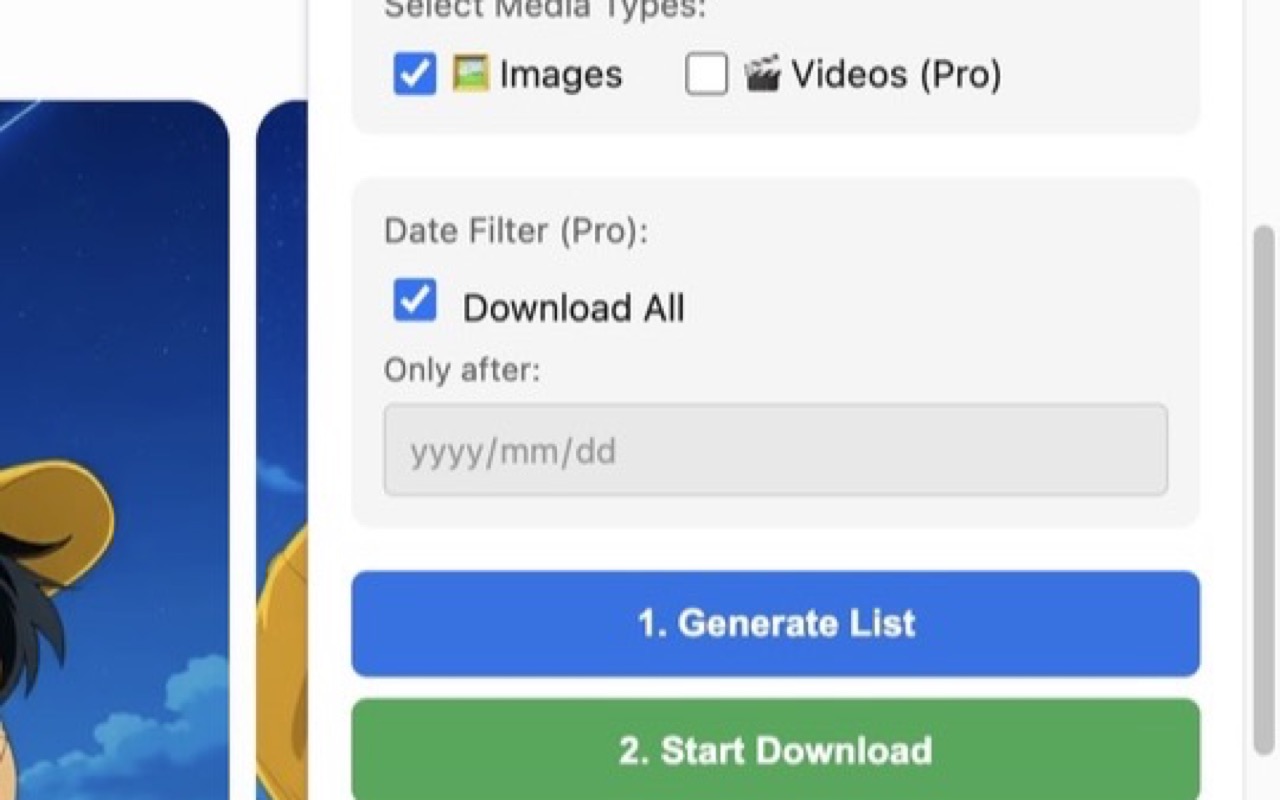
Smart List Generation
No more manual searching. The extension automatically scans your favorite images and videos to generate a downloadable media list.
feat-generate-list.jpg
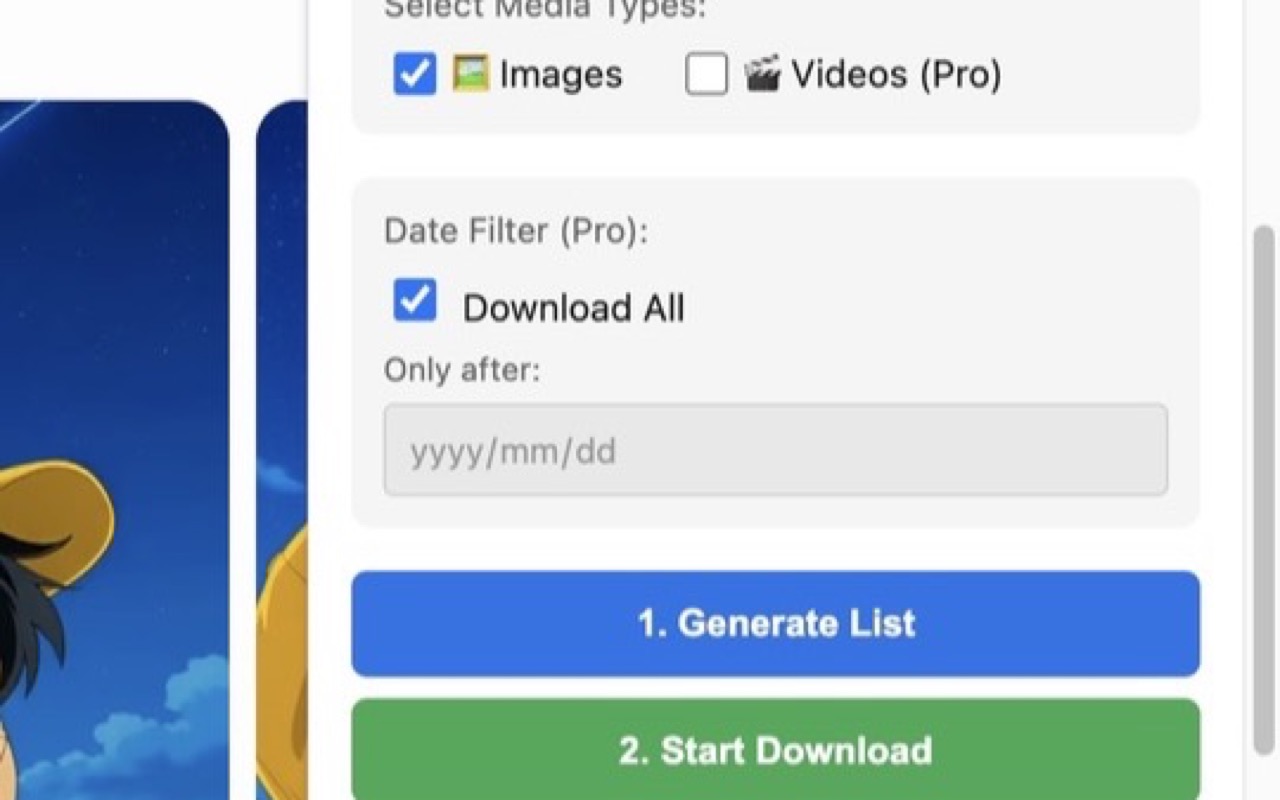
Date & History Filter (PRO)
Only want today's creations? Use Date Filter to specify a range. Auto-checks history to prevent duplicate downloads.
feat-date-filter.jpg
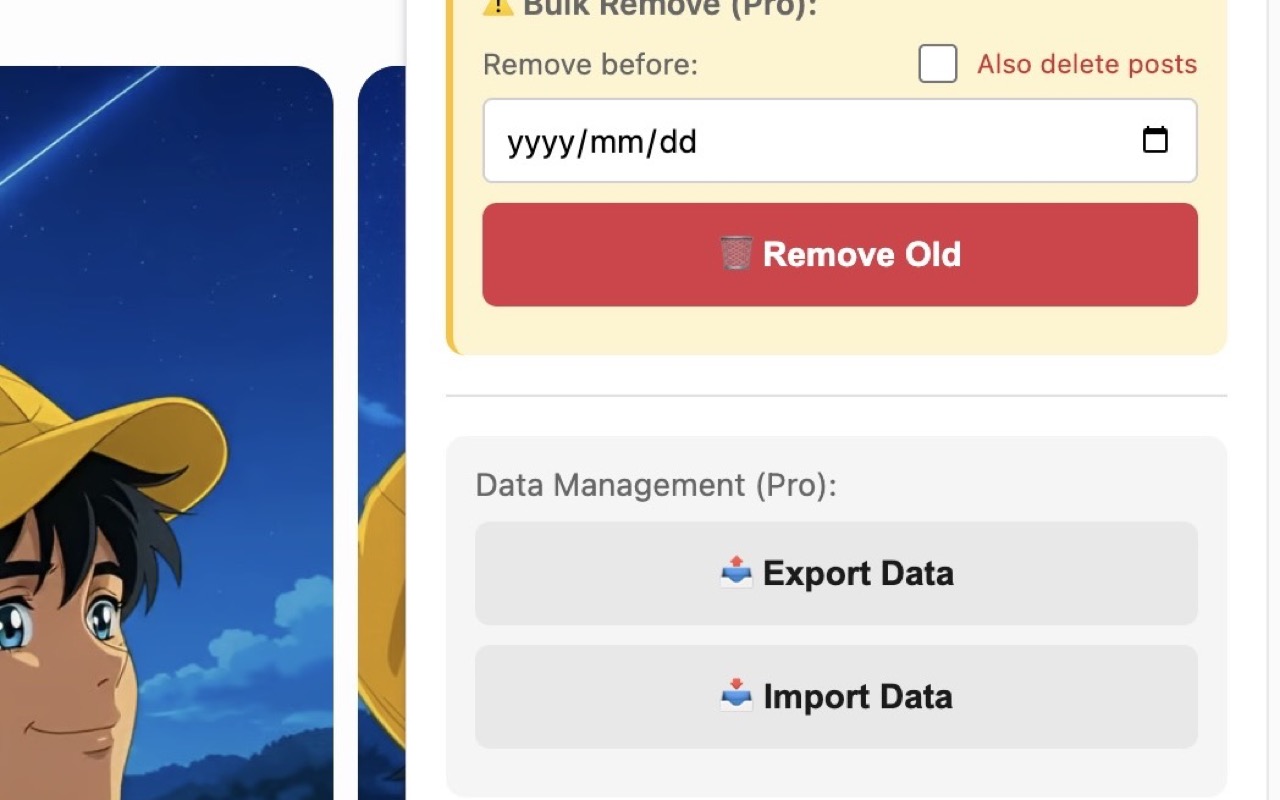
Data Management & Backup (PRO)
Don't lose history when switching computers. Use Export/Import Data to easily backup or transfer your database.
feat-export-import.jpg
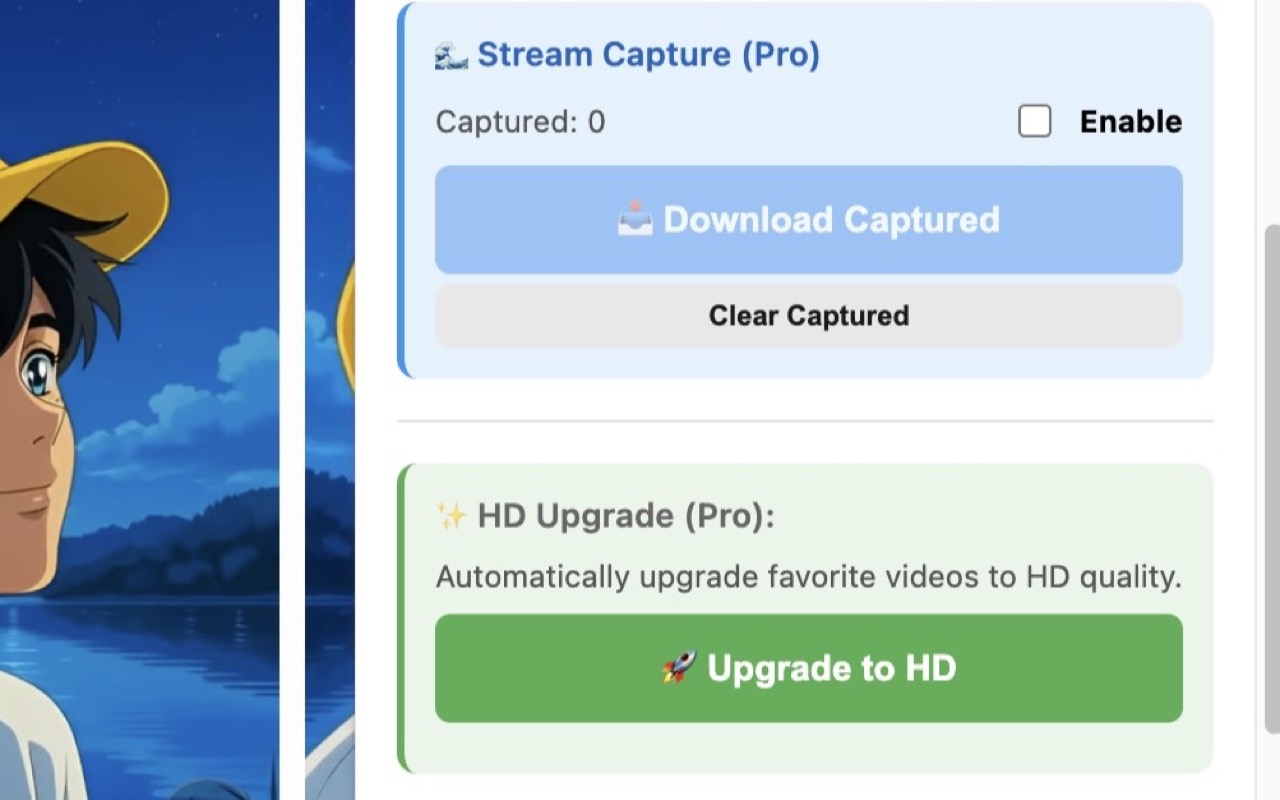
HD Video Upgrade (PRO)
Scan favorites or your whole library, see the SD / HD-720p / 1080p breakdown, and upgrade one tier at a time via Grok API.
feat-hd-upgrade.jpg
Stream Capture (PRO)
Real-time capture of Grok-generated images using DOM observer. New images queue automatically as you scroll.
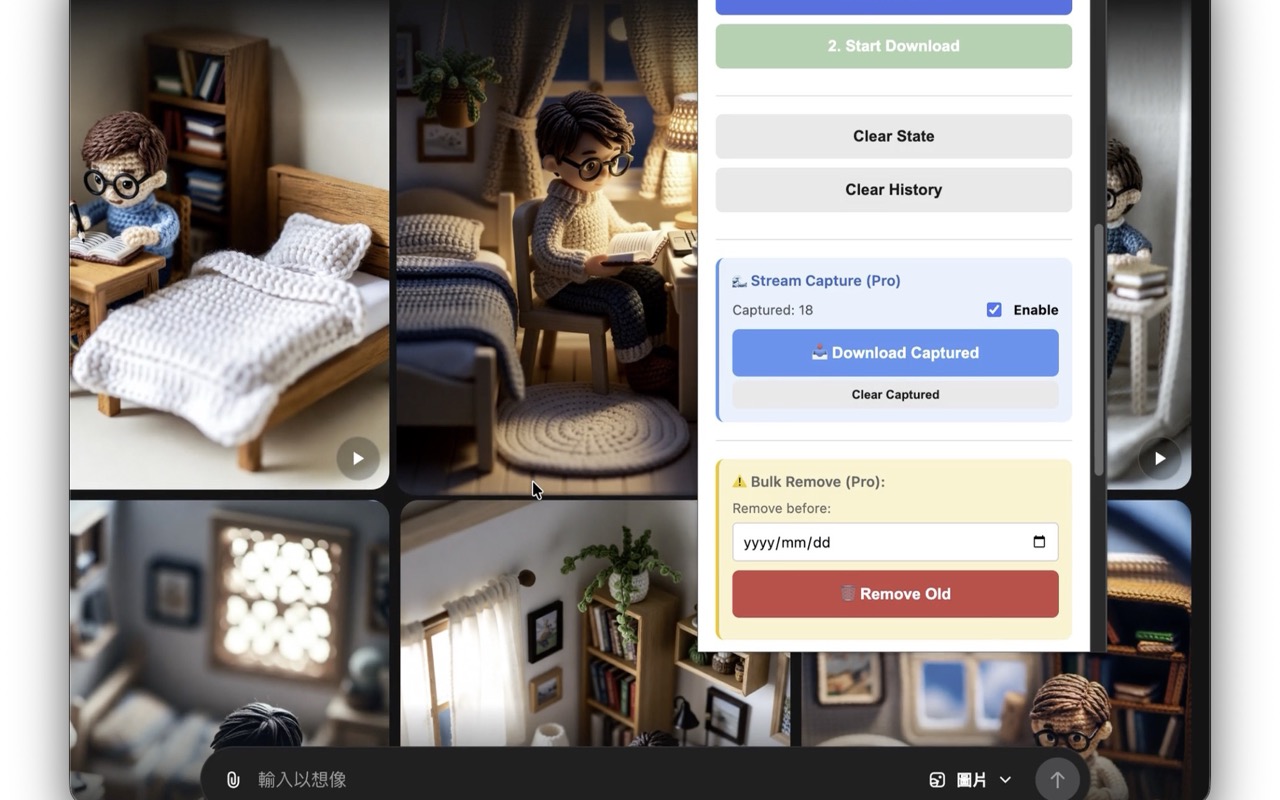
feat-stream-capture.jpg
Story Mode Helper (PRO)
New video studio! Storyboard management, frame extraction, send to Grok for continuations, and local FFmpeg merge.
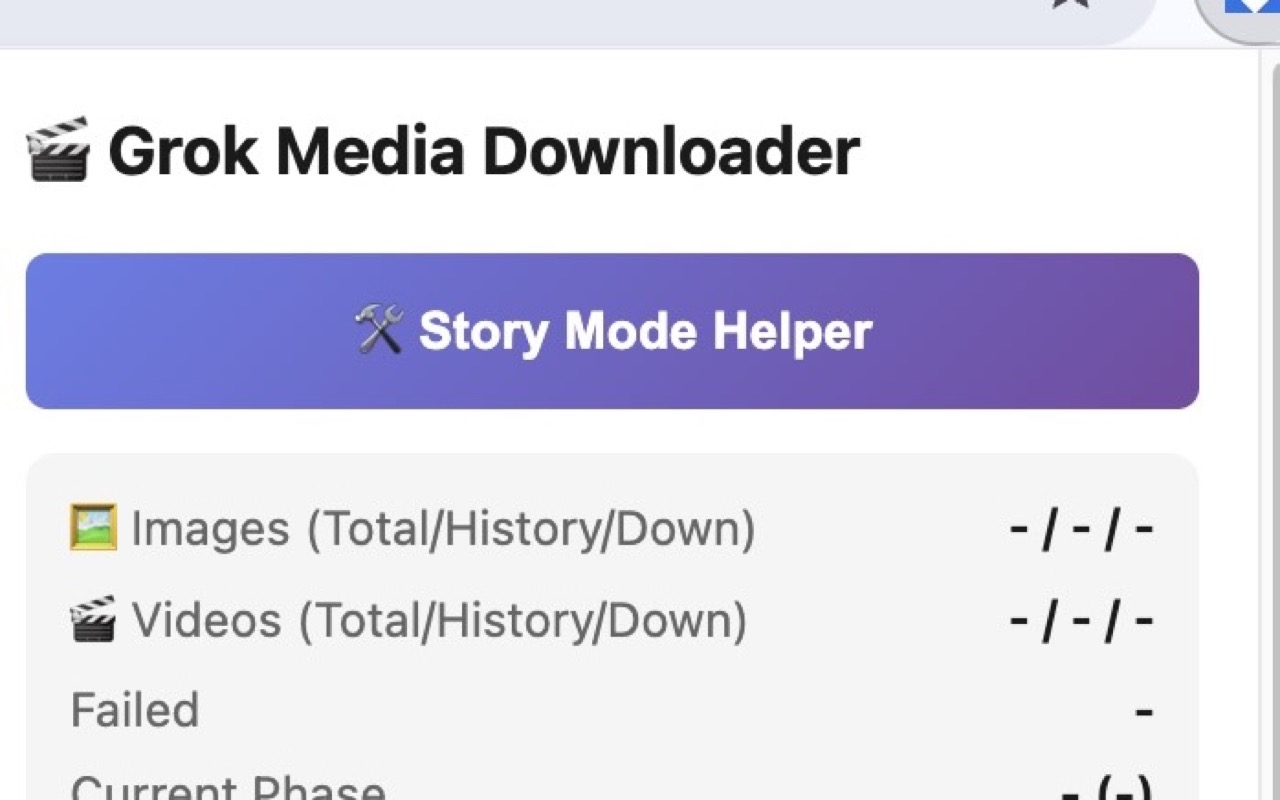
feat-story-mode.jpg
Video Gen Queue (PRO)
Automated video generation queue! Batch add, 4 generation modes, auto-retry, rate limit detection. Free: 50 uses, PRO: Unlimited.
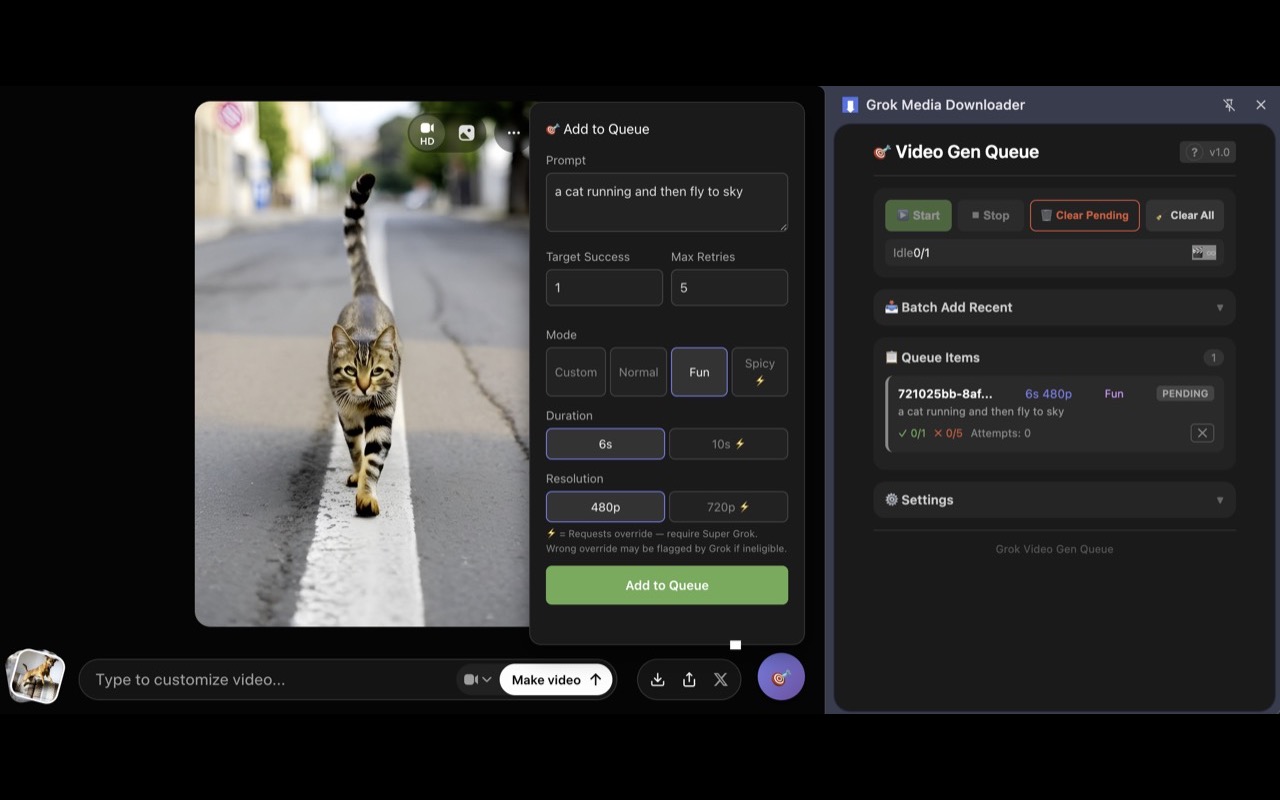
feat-video-gen-queue.jpg
Project-Based Download (PRO)
Project folder management! Pre-download scanning with stats, auto-create project folders by date and prompt for organized files.
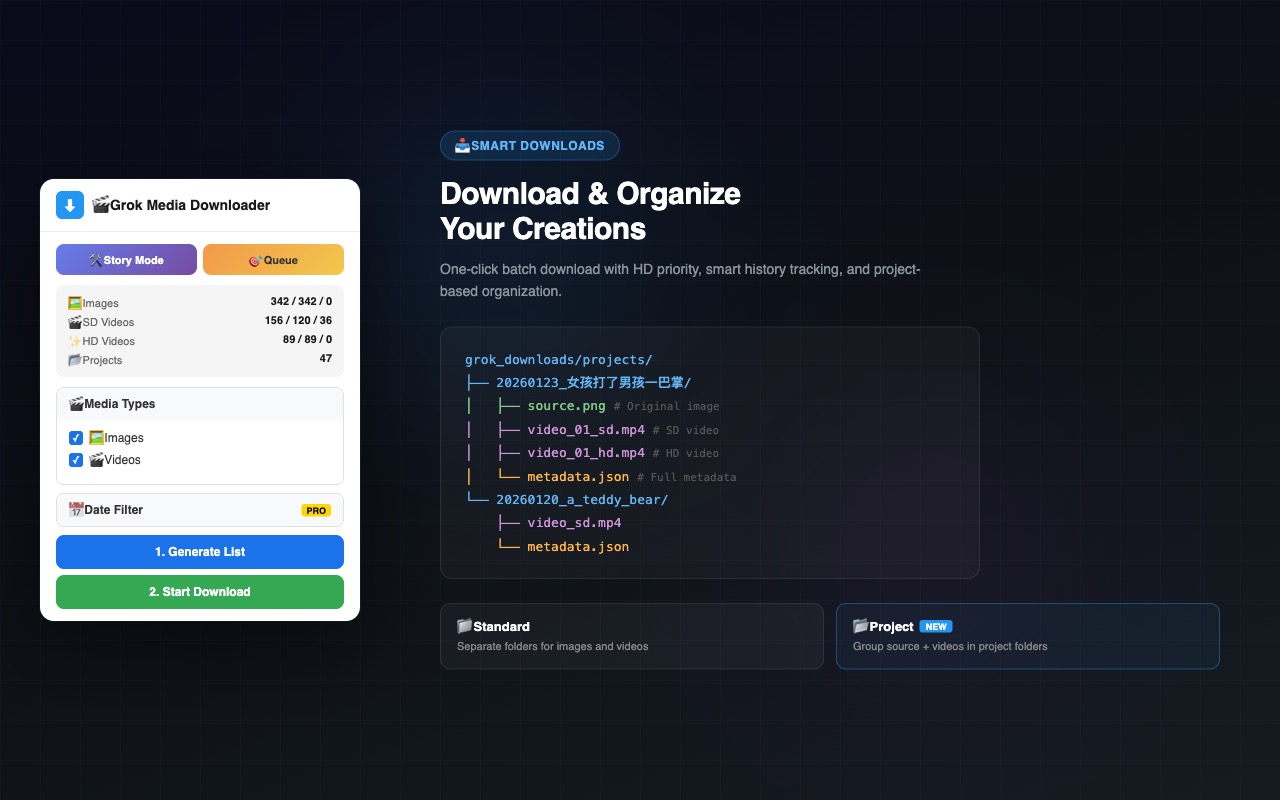
feat-project-download.jpg
Tag-Based Download
Download media by tag. Grok’s tag migration left content in both its old and its new tag store, so v2.5.6 reads both and merges them — tag lists and tag contents are the union of the two, including the full contents of old tags and tags that exist only in the old system. Tag downloads now use prompt-based filenames too. Files land under tags/{tagName}/.
Custom Filename Templates
Three filename modes: Grok Native, Prompt Based, or fully Custom templates with tokens like {date}, {prompt}, {quality}. Name your downloads your way. Switching to a mode that uses prompts makes the popup ask you to regenerate the list once, and a persistent prompt cache keeps that regenerate fast.
Whole Library Download
Download every generated image and video — not just favorites. Files are grouped into one folder per conversation and named with the prompt that actually created them, with its own independent download history. Free covers the last 7 days; PRO removes the limit.
1080p Video Upgrade (PRO)
1080p is now its own quality tier. Downloads take the best available quality, and upgrades move one step at a time: SD → HD, then 720p/HD → 1080p. 1080p requires SuperGrok Heavy and an explicit opt-in.
Stream Capture
Real-time monitoring of Grok-generated images. Auto-capture as you scroll. Never miss an inspiration, batch download to local.
* Demonstrating Stream Capture real-time capture and batch download workflow
Managing a Massive Grok Library
Is a Pain?
As your Grok collection grows from hundreds to thousands, these problems become increasingly severe.
Manual Archiving is Slow
When you have hundreds or thousands of images, saving them one by one is virtually impossible.
Incomplete Privacy Cleanup
Unliking doesn't actually delete the post from Grok. Your creations may still remain on the platform.
Video Story Creation is Complex
Want to chain multiple Grok videos into a story? Nearly impossible without professional tools.
Mass Local Archiving
Stream Capture ensures every image is cached and ready for one-click bulk download.
True Bulk Delete
The extension offers to delete actual posts from Grok, not just unfavorite them.
Full Video Automation
v2.2 Video Gen Queue for auto-scheduling, Story Mode for editing & merging, Project Download for organized management—all in one.
v2.2 Major Update: Video Gen Queue auto-scheduling, Project-Based Download, 4 generation modes, system logging.
Loved by Grok Creators
Real reviews from Chrome Web Store users
"The Pro version is a game changer — and it's lifetime. No subscriptions, no recurring fees. Just pure value. Thank you!"
Jerome
Chrome Web Store
"Free version is good, but easily worth the $5 for Pro. Every other extension asks for a subscription these days, so a lifetime license is really appreciated."
Tamas
Chrome Web Store
"This extension is a game-changer, easily the best tool for Grok users. The bulk download and HD upgrade features save me hours every week."
lipo dipo
Chrome Web Store
Built by Kario Studio
Crafting Tools for the AI Creative Era
We build precision tools that bridge the gap between AI creation and distribution. Every product we ship solves a real friction point — not with bloated platforms, but with focused tools that do one thing exceptionally well.
Unlock Full Productivity
PRO features designed for heavy users.
✨ Includes all future updates