Chrome extension for Grok Imagine · Free, Pro $3/month or $40 once
Everything you made in Grok Imagine, in order.
Grok Media Manager syncs your library into a workspace you own. Tag it, rate it, file it into categories, search it by prompt, group it by conversation, and keep the files on your own disk.
No account. Nothing uploaded. Works in your own signed-in grok.com tab.
See it in two minutes
Sync a library, tag and rate it, find a prompt again, keep copies on your disk: the whole extension in one short walkthrough.
Loads from YouTube in privacy-enhanced mode when you press play. Music: "Easy Lemon" by Kevin MacLeod (incompetech.com), CC BY 4.0
Grok Media Manager organizes the library.
Sync what you made, then tag, rate, categorize, search and group it. Keep copies on your disk so a deletion on Grok is not the end of the file.
Grok Media Downloader gets files out of Grok.
A downloader for bulk export, HD upgrades and video generation queues. The two are separate extensions and work side by side.
Six ways to look at the same library
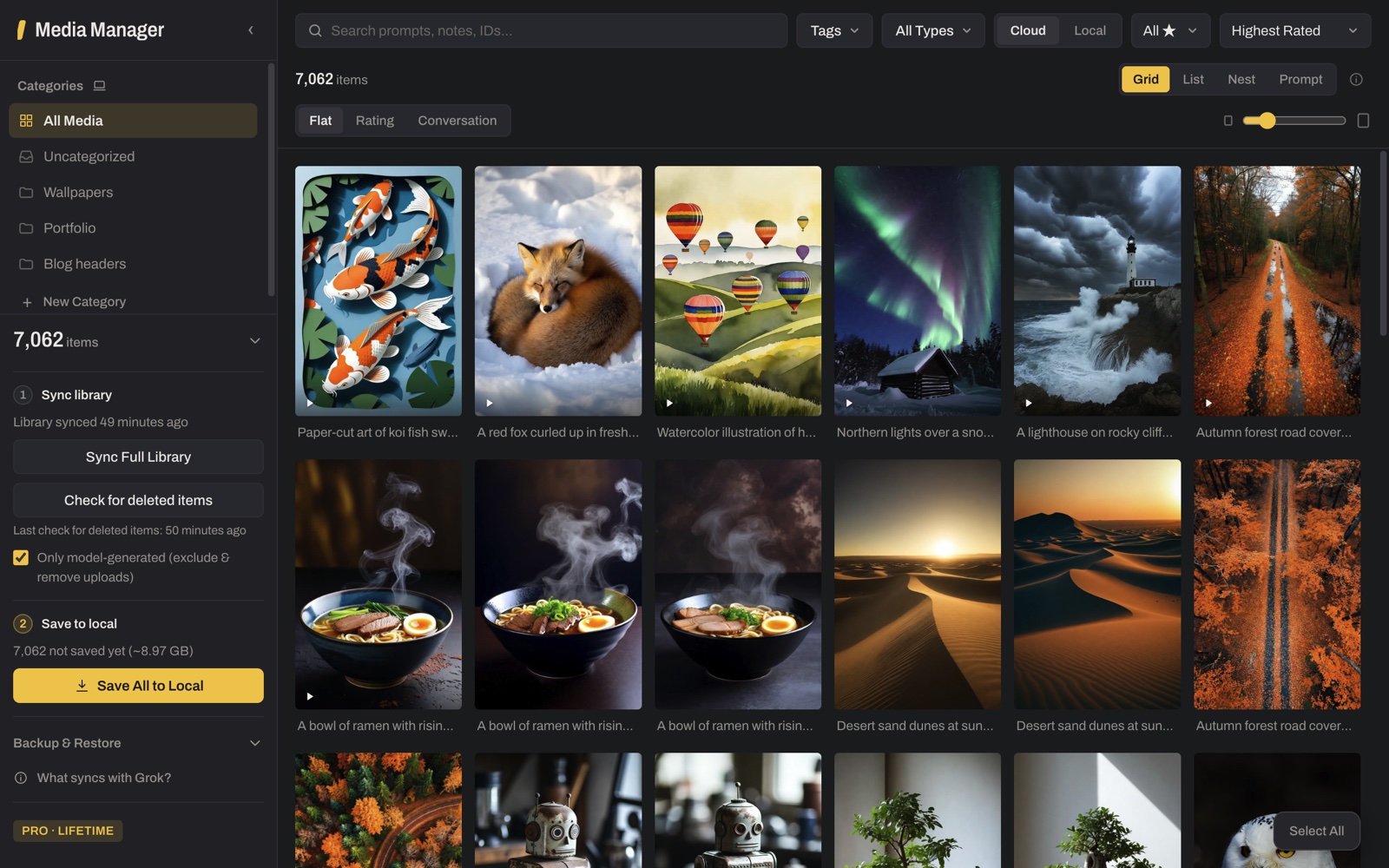
Every picture on this page is the extension itself. Click one to see it full size with the full story; the control names are the ones you will click.
The detail panel
One item selected. The tag came from Grok; the rating, category and note live only in the Manager.
Rating Notes Category
Select many, tag once
Four selected. One tag, one category or one rating goes onto all of them at once.
Select All Manage Tags
List view
The same library as columns: prompt, type, source, size, rating, tags, date. Sort by any of them.
List
Prompt view
Everything generated from one prompt, together. Rate the group, then pick the keeper.
Prompt
Nest view: parents and children
An image and the video made from it stay together. The +1 badge marks the parent; the panel lists its children.
Nest
Filters: videos only
Filter by type, tag, rating or cloud-versus-local, then sort. Videos only, in one click.
All Types Videos
What it keeps in order
Each row names the control as it appears in the extension, so what you read here is what you will click.
Three places to use it
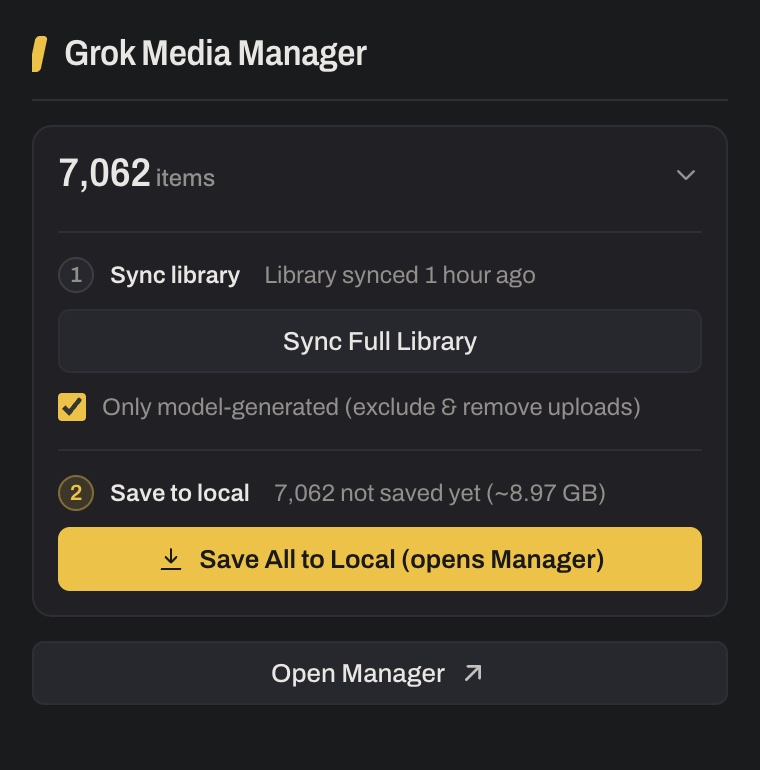
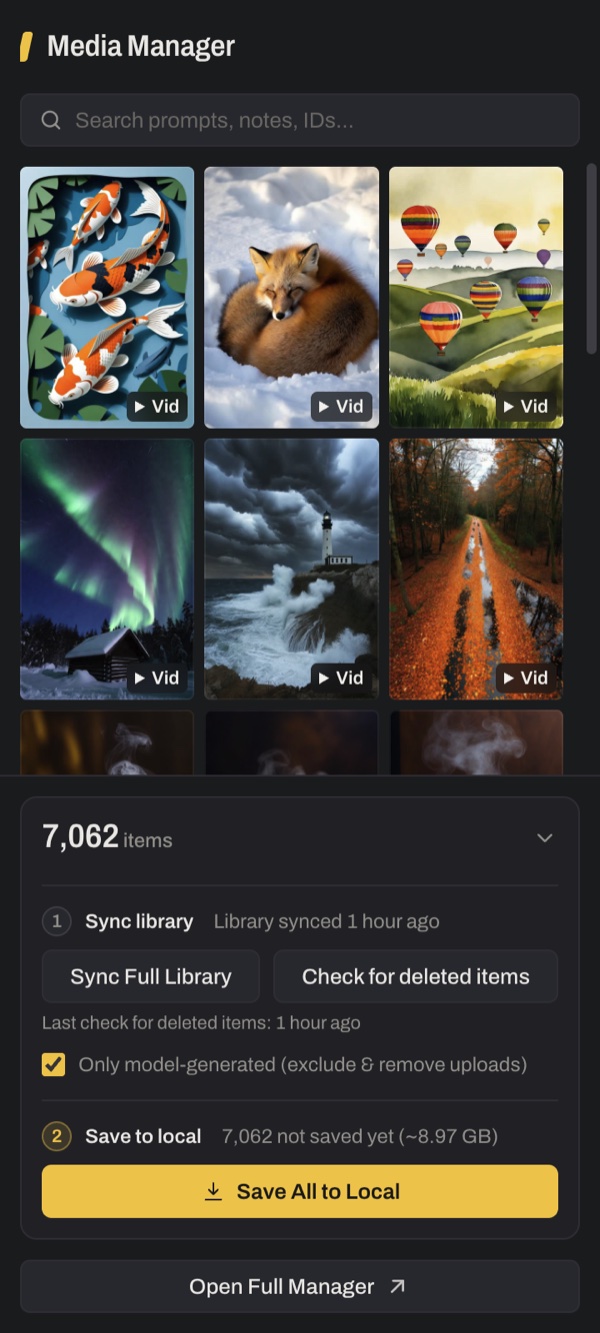
One extension, three surfaces, all reading the same library.
- The full-tab Manager
- Sidebar with categories and the sync card, the gallery, and the detail panel. Where the organizing happens.
- The toolbar popup
- Sync Full Library and Open Manager, one click from any tab.
- The side panel
- Preview and search next to grok.com while you keep generating.
Start in three steps
No account needed. The library stays on your device.
- 1
Install
Add the free extension from the Chrome Web Store. It works alongside grok.com in your own signed-in tab.
- 2
Sync
Open grok.com, then click Sync Full Library. The first run takes a few minutes; after that, each sync adds only what is new.
- 3
Organize
Tag, rate, categorize, add notes, and search across the whole library. Pro keeps the files on your disk too.
Where your data lives
Everything stays in the browser. The library, tags, categories, ratings and notes are stored in IndexedDB. Saved media and backups go to a folder you pick on your own disk.
The only server call is license validation. There is no account and no analytics inside the extension. Prompts and media never leave your device.
It reads Grok's responses in your grok.com tab. The only thing it writes back to Grok is tag edits, to your Grok collections. Media, prompts, conversation titles, ratings, categories and notes are never written to Grok.
Full details, including every Chrome permission and why it is needed: Privacy Policy.
Free and Pro
Free is a complete organizer for up to 1,000 items in view. Pro removes the limits and keeps your files.
| Feature | Free | Pro |
|---|---|---|
| Sync Full Library, Check for deleted items, passive capture | ✓ | ✓ |
| Tags, two-way sync with Grok collections | ✓ unlimited | ✓ unlimited |
| Ratings, notes, search, filters, 4 views, grouping | ✓ | ✓ |
| Conversation titles, prompt recovery | ✓ | ✓ |
| Download (Chrome downloads) | ✓ | ✓ |
| Items shown in a gallery view | first 1,000 | unlimited |
| Categories | 3 | unlimited |
| Save to Local (selected / all) | — | ✓ |
| Backup & Restore | — | ✓ |
Save to Local
Save All to Local, about to copy a whole library into a folder you chose. Already-saved files are skipped, so it is safe to repeat.
Save to Local Pro
Backup & Restore
One click writes the whole library, tags, ratings and notes to a JSON file. Restore it on any machine.
Backup & Restore Backup Now Pro
Pricing
Payments are processed by Stripe. After checkout, one click activates Pro in the extension. Not happy? E-mail us within 7 days of purchase with your order number for a full refund.
Monthly
Cancel anytime. Manage or cancel your subscription
- All Pro features
- Unlimited items in view, unlimited categories
- Save to Local, Backup & Restore
Lifetime
One payment, forever.
- Everything in Monthly
- No recurring charges
- All future updates included
Own Grok Media Downloader Pro? Get the Manager at a discount.
Enter the license key from your Grok Media Downloader Pro purchase, the one in your license e-mail. Monthly starts with the first month free; Lifetime is $10 off. Each key can be used once.
Manage your subscription
Monthly subscribers: enter the e-mail you used at checkout and we send you a link to your subscription page, where you can change your card, see invoices or cancel. The link works for 15 minutes.
Prices in USD. Checkout opens on api.kario-studio.com, the license service for Kario Studio extensions.